Code Systems tab
Main view
The main view is originally empty. It is populated by importing an alignment file. The codes, their labels, the associated NUVA codes are displayed as a codes table. The NUVA labels are fetched from the current workfile.
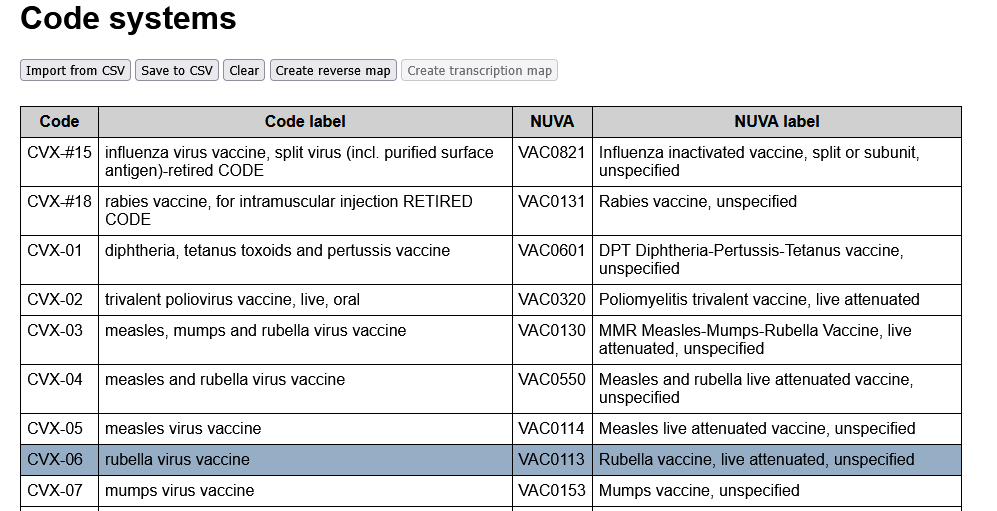
The action buttons are located at the top of the main view:
Import from CSVwill propose to select an alignment file, then upload it to the browser.Save to CSVwill save the current status of the codes table, after editing, or simply to include the NUVA labels if they were not in the initial submission.Clearresets to a void code table.Create reverse mapis enabled if an alignment file has been loaded, and will create the corresponding reverse map.Create transcription mapis enabled only if a reverse map has already been created. It will propose to select another alignment file and create the transcription map from the uploaded code system to the previously reversed one.
Clicking on any row in the codes table will open the edition zone at the bottom of the page.
Sidebar
Filter zone
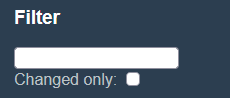
The filter zone for codes consists of:
- A text filter. Only codes having the entered text in their code, label, or the code or label of their NUVA equivalent, are presented.
- A changed only filter. If checked, only codes that differ from the originally loaded alignment file are presented.
Context zone
The context zone consists of:
Current vaccine: The currently edited vaccineCurrent code: The currently edited external code
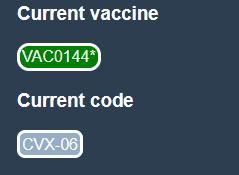
Current vaccine
See in Vaccines tab how it is set.
If set, selecting the menu item Map to current vaccine in the Edition zone will assign the selected code to this NUVA vaccine code.
Current code
Codes are selected for edition by clicking on a code row in the main view of the Code Systems tab.
Current code is the last code selected for edition. It is cleared if the menu item Close is used in the edition zone, or by clicking on the Code tag in the sidebar.
Edition zone
All actions in the edition zone are selected within a single menu.

Map to current vaccinewill assign the given code to the current vaccine displayed in the sidebar.Out of scopeis used for codes that do not belong to the scope of NUVA. The alignment value will be set to#NA.Vaccine concept missingmeans that the code is a legit concept for NUVA, but that one is missing. It is an indication for a future update once the NUVA code will have been created.Reset to initial valuewill restore the code to its NUVA equivalent in the initially uploaded alignment fileClosewill close the edition zone and clear the Current code in the sidebar.